Wiz Parser
A design system to reduce developer's headaches.

Project Type:
Client Work (WizRobotics)
Timeline:
8 weeks
Tools & Skills:
Figma
User Research
User Testing
JSON File Systems
Team:
1 Web Designer (My role)
1 Front-end Developer
Context
A lack of a design system doesn't just impact designers, but developers too.
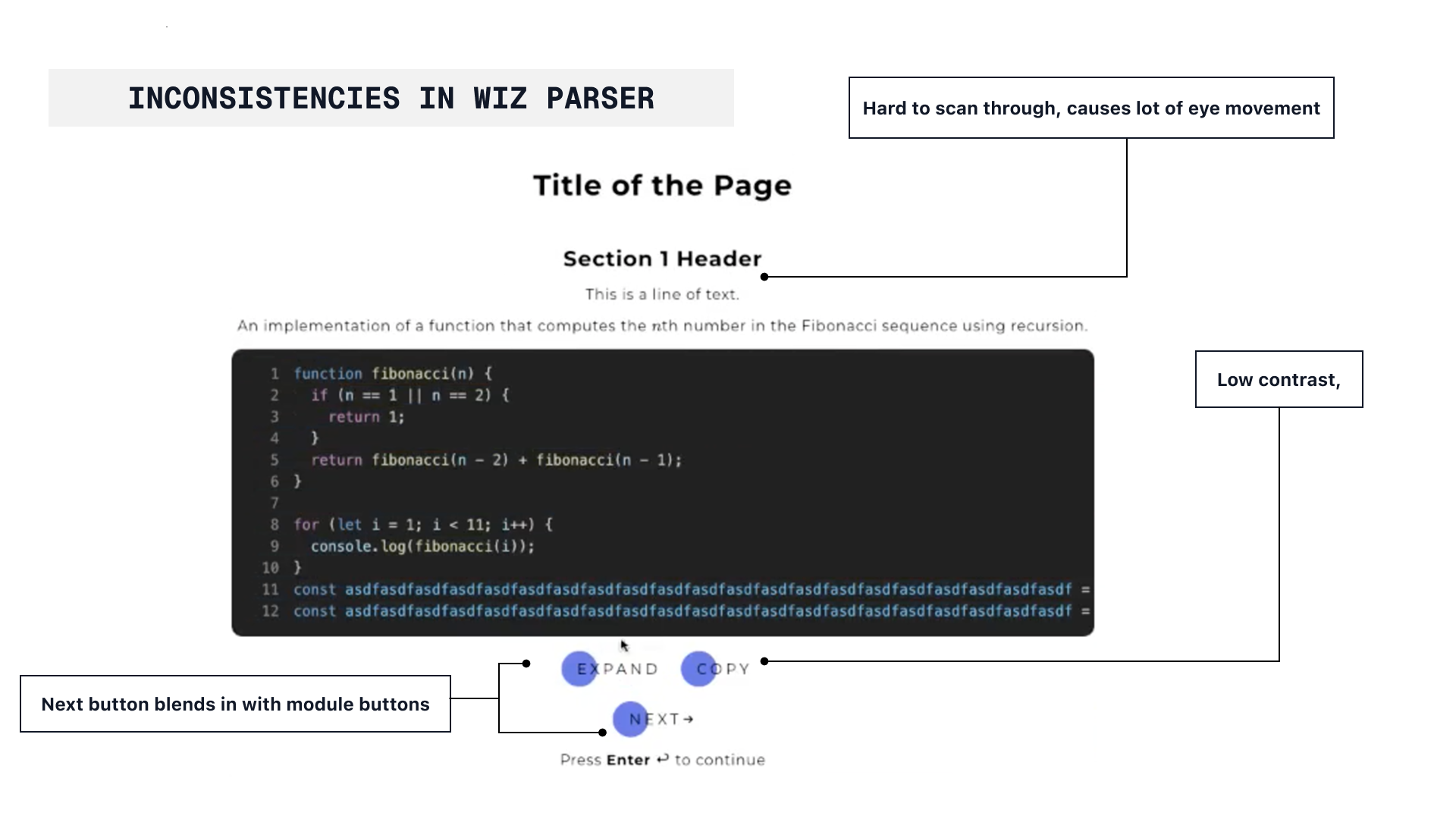
I was assigned to work with a front-end developer to redesign Wiz Parser - an online interactive teaching platform.The current developer had no system in place for creating new elements, instead "designing" them as they were needed and trying to replicate what was already there.
I soon realized that this was more than just a visual redesign, but a core issue on how elemnts were designed and developed.
Challenge
HMW statement
How might we create a design system that allows developers to move to a whole other way of designing elements?
Poor Handoffs
There existed no system in place for developers to create new elements, instead trying to replicate what the previous developer had done with no context.
Inconsistent Designs
Without a proper system for creating elements in Wiz Parser, the platform lacked consistency, lacking visual and interaction consistency.
Time Constraints
Due to the time constraints of the developers, I had to work quickly and efficiently to create a design system that would be easy to use and understand.
Solution
Perfecting handoff
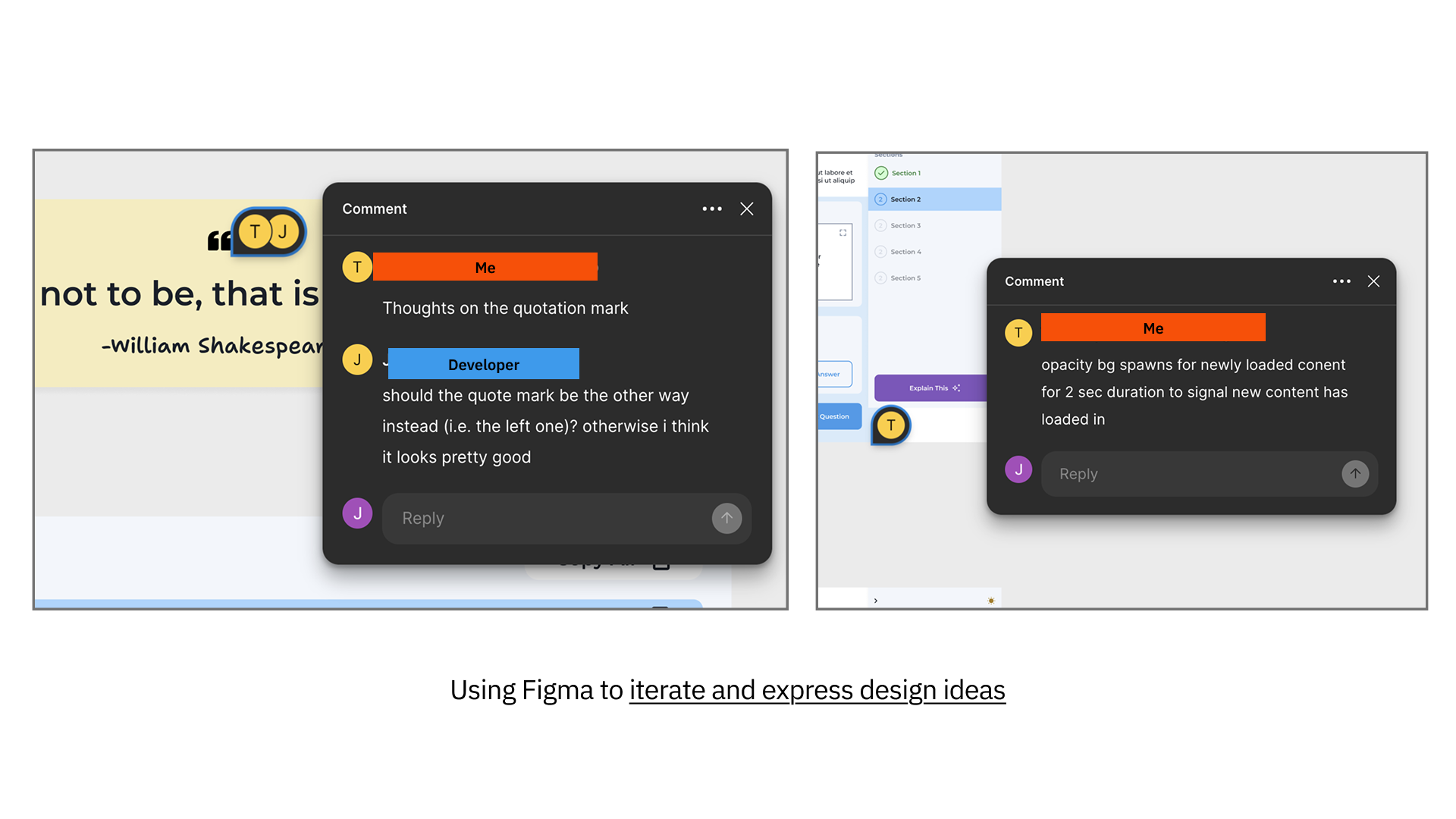
Previously, we had hourly check-ups, which caused a disconnect in the design process. However, due to our short time span, both the deve and I had to this of communicating We switched to Loom, enabling real-time visual updates without interrupting our workflow.
From this, we were able to create a design strategy that would allow for a more efficient and effective design process:
1. Developer would go and make a new element from scratch without any context or guidance.
2. Developers would try to figure out how to implement the element in the codebase from the previous developer's code.
3. Most of production time would be spent on bug fixing and making sure the element is working in the existing code space.
4. The final element would be added, despite not matching the quality of the rest of the codebase.
1. Developers start by looking at the Wiz Parser design system, and see how they can use the components to create a new element.
2. Developers have direct comments and instructions in the Figma file to help them implement the element in the codebase, outlining typography spacing and breakpoints.
3. Developers can easily scale and onboard new team members with the design system and documentation
4. The final element would be added, matching the quality of the rest of the codebase- creating a more consistent and maintainable codebase.
Here are some of the details I prepared before handoff:
Typography
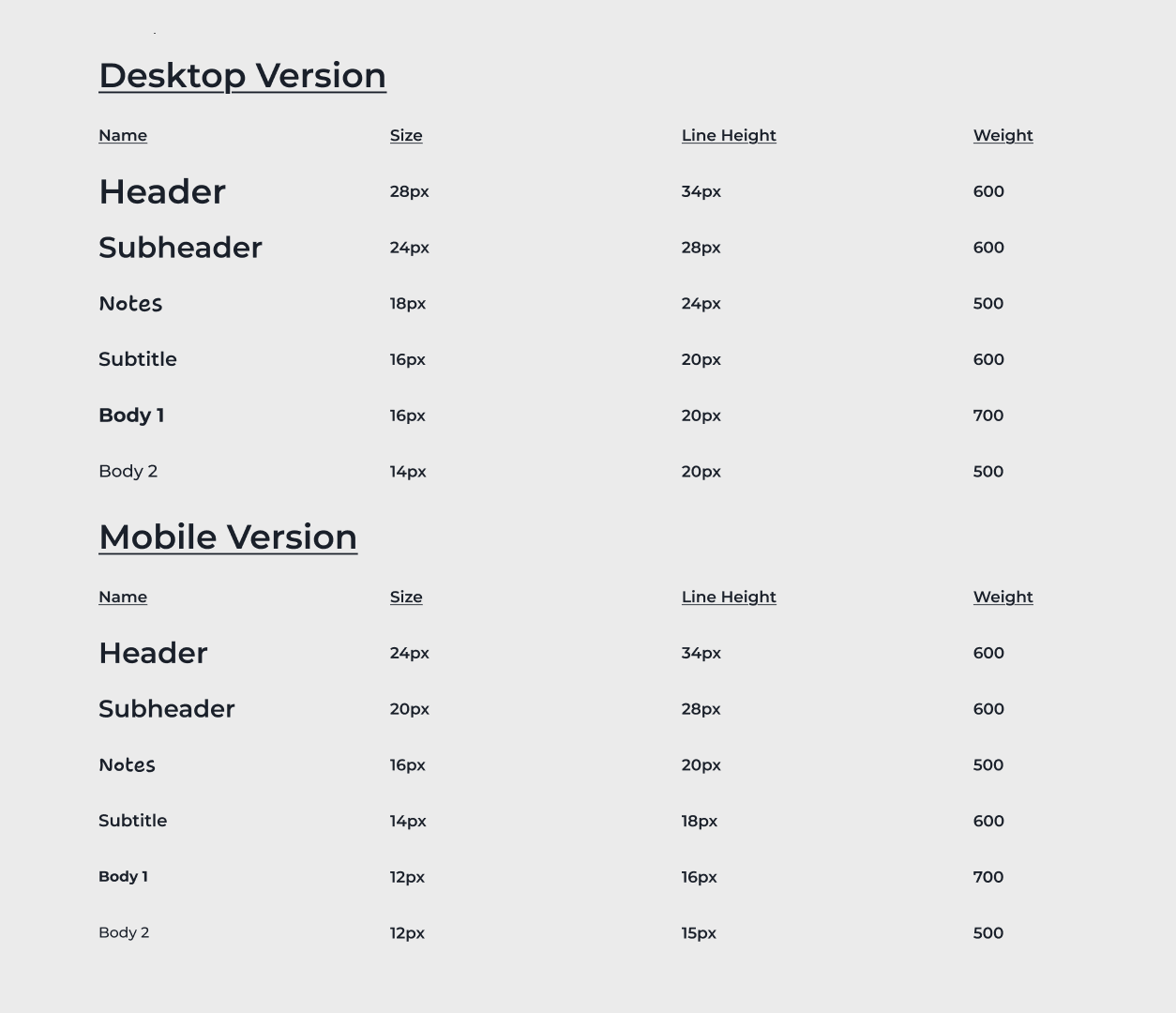
Previously, type styles were not defined, which led to elements having no consistent style. To solve this, a typography guidelines was formed based on the existing fonts—Montserrat and Shantell Sans—allowing for a consistent style across all elements.
Colours
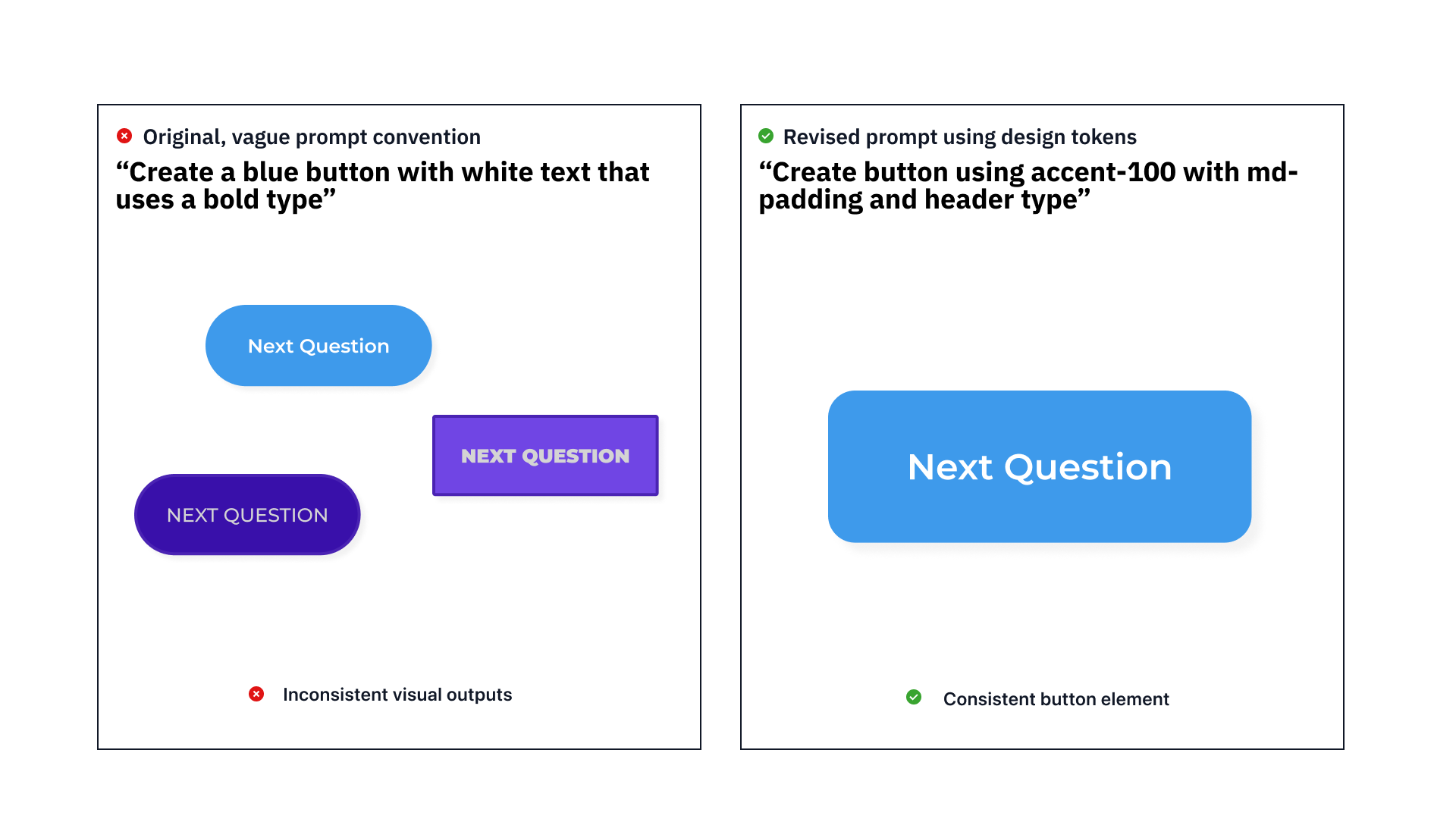
The primary and neutral palettes were defined using the Radix color system, allowing for straightforward integration into the Parser's code that would work in both light and dark modes. Naming conventions were based on JSON file systems, allowing easy implementation into the development codebase.
Spacing
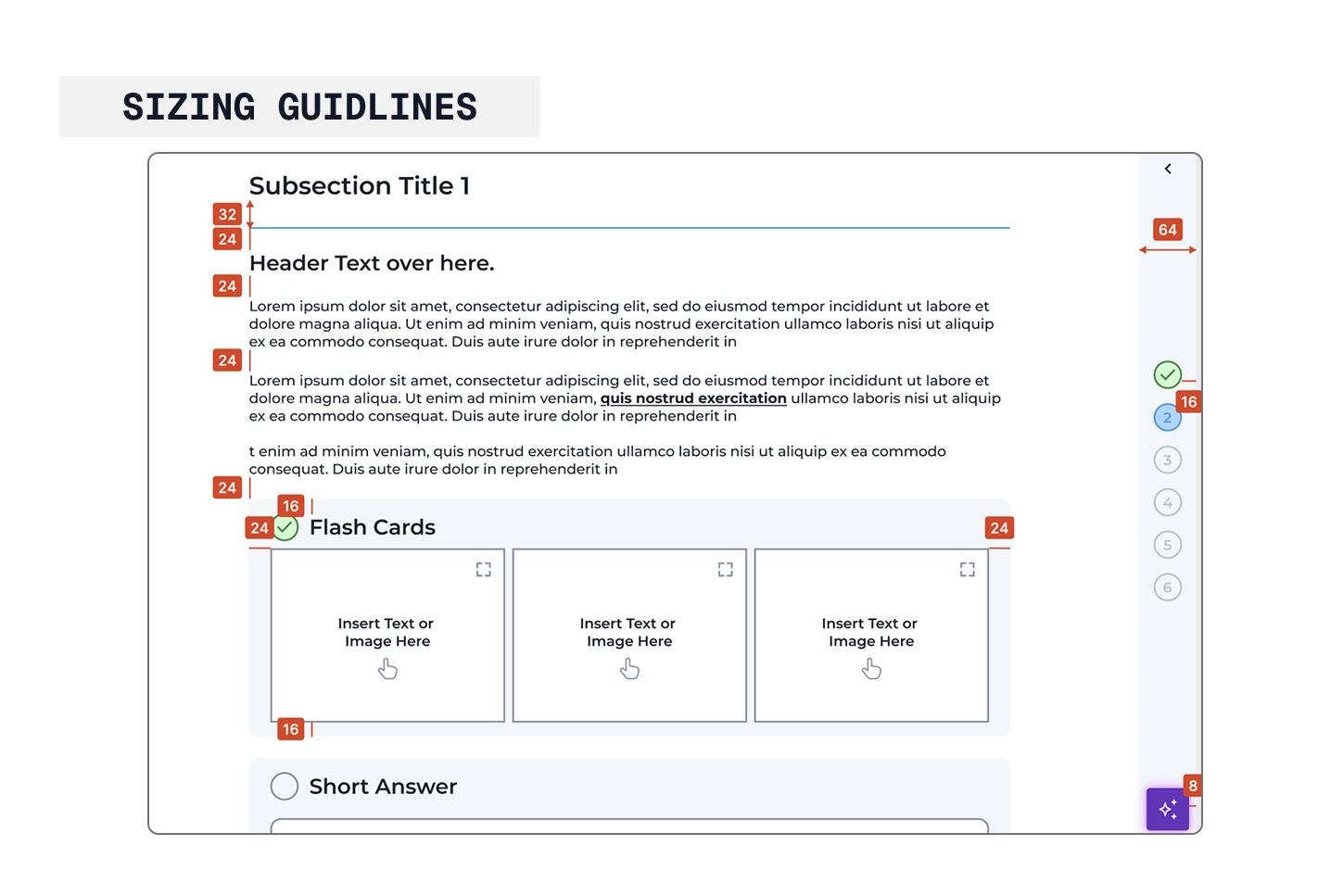
Developing a consistent style for padding and margins for components was crucial for consistency across both mobile and desktop screens. These spacings were based on the 4-point system, allowing for developers to easily refer to when developing new elements.
Final Products
A whole new way of designing elements
Here are a few of the deliverables created for the final Wiz Parser:
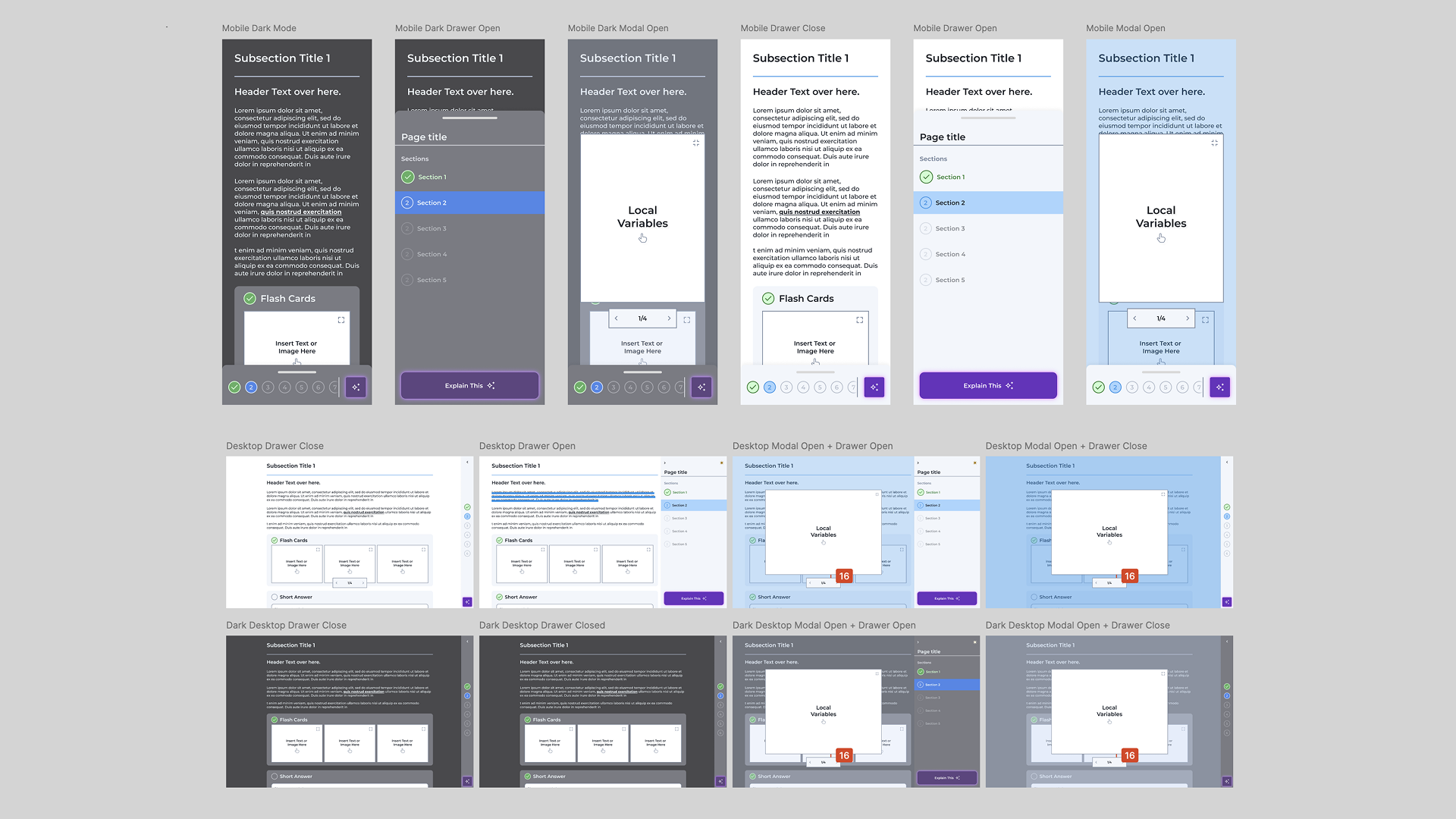
Desktop and Mobile Breakpoints
Light and Dark Mode Toggle
Drop-Down Question Interaction
AI Chat Functionality
Copy Text Feature
Reflection
This project was a great learning experience for me. I was able to work with a team to create a design system that would be easy to use and understand. Here are a few of the things I learned:
1. Design Systems are Powerful
A good design system is more than just a set of guidelines. It's a tool that helps developers create consistent, efficient, and maintainable code.
2. Communicate Better, not More
By sitting down with the developers and understanding their workflow, I was able to fully understand their needs and understand how to design for them.
3. Iterate Faster
In a small company, every decision counts. By developing a back and forth process with the developers, I was able to iterate faster and more efficiently.